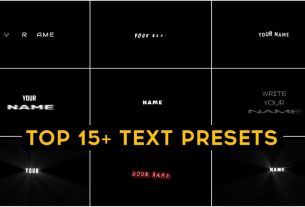
Friends, if you are a status video creator and like if you create a status video with lyrics like you listen to a song. Accordingly, if you type the lyrics that he plays, then for that you must be using alight motion app, in which you get very cool presets, so I have made a different preset for that. Which we have brought for you today Top 10 lyrics presets and you can download it in one click and you can use it in whatever you create your status video. It’s absolutely free.
Top 10 lyrics presets
Now see as you use the shake effect. By the way, you can also use this text preset and this text preset is very creative preset and it is more viral now. How would you use this? If you don’t know, then tell. You will get an XML file of what to do simply. You download it and after that share it and add it to your alight motion. If you do not have alight motion in which you do not get XML support, then you can download it from our website. Here you will get it for free. In which you will get its sport.

How to use Top 10 lyrics presets
Whatever preset you want to use, you simply import it, after that you have to open the project. There you will find at least 10 layers. Now don’t get confused by seeing 10 layers because these are 10 presets all you have different effects and how you will use them. Simply clicking on that one layer and there you have to go to the effect option below, there you will get the 3dot option. Clicking on it there you get the option of a copy effect. Click on it and copy it. Now whatever lyrics status video you are creating, go to it and there also you have to go to any option and there you have to click on it and paste it. Then whatever preset effect will come on your video.
top 30 shake effect presets download
How to download Top 10 lyrics presets
Simply click below to download. There you have to wait for a while and I have given a direct downloading, then automatically that download will start. Just then you add it to your file like sharing it.