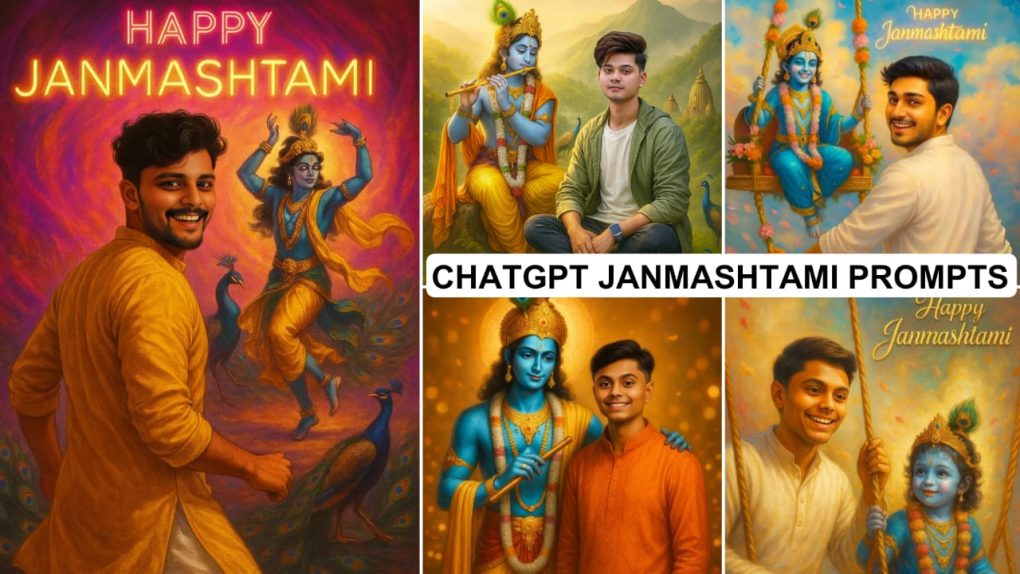
Chatgpt Krishna Janmashtami Ai Photo Editing Prompt – So brothers, as we all know that Lord Shri Krishna’s birthday is being celebrated on 16th August this year. And if you have not yet created your ai image for Krishna Janmashtami, then you are lagging behind in the trend. Yes, my brother, everyone is creating their own image with the help of chat gpt in this trend, in which they are celebrating the festival of Janmashtami with Lord Shri Krishna. Such images look very beautiful and charming. Therefore, you should also create your image on the occasion of Janmashtami.
So if you want to create, then you will need some prompts. With the help of which you can create your own image with Lord Shri Krishna, your face will be seen exactly in that image. Therefore, in this article I am giving you some chat gpt prompts, with the help of which you can create your image. Along with this, I will also tell you how to create an image with chat gpt in this article, so you read the paragraph on how to use carefully. Some images and their prompts are given below. You can create your own image from chat gpt by copying the prompt below whichever you like.
Chatgpt Krishna Janmashtami Ai Photo Editing Prompt
See, Krishna Janmashtami is celebrated as the birthday of Krishna, the 6th incarnation of Lord Vishnu. On this day, Lord Krishna is born at 12 o’clock in the night and then people celebrate. Everyone’s way of celebrating is different. Those who are active on social media wish everyone by posting different types of photos. Nowadays people are sharing more of these AI images. That’s why everyone wants to make them. But some people do not know how it is done. If you want, you can share this article with those who do not know how to make an image with AI. So that those people can also take advantage of it. All the images given below have been made from the prompt just below them. So copy the prompt of the image you like. Then scroll down and read the paragraph on how to use it.
Prompts:-

"Ultra-realistic digital painting of Lord Krishna with blue skin, golden crown and peacock feather, yellow dhoti, angavastram, and flute, standing beside a smiling young man in bright orange kurta. Glowing golden bokeh, marigold petals, festive lights, and 'Happy Janmashtami' in elegant golden script."

A breathtaking and divine digital painting of Lord Krishna standing beside an 18-year-old handsome boy, both smiling warmly. Lord Krishna is depicted with glowing blue skin, a golden crown adorned with peacock feathers, and a shining yellow silk dhoti. He holds a beautiful golden flute in his hand. The boy is wearing a festive traditional kurta with elegant embroidery, looking proud and joyful. Behind them, the background is filled with glowing lights, flowers, and a soft golden aura. Above them, in elegant, festive calligraphy, the text “Happy Janmashtami” glows brightly. The scene is vibrant, colorful, and filled with divine energy, with flower petals floating in the air.

Prompt – create a vibrant portrait of a joyful young man celebrating Janmashtami, He is dressed in a traditional white kurta and white pajama, smiling and glancing back over his shoulder, giving push to Krishna on Swing (Jhula) from behind “Krishna in sambhal blue, wearing dazzling jewelry, sitting on a decorated swing with flowers, smiling joyfully. The dreamy background features bright clouds, floating petals, and ‘Happy Janmashtami’ shining softly behind him.
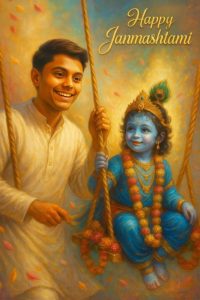
"Ultra-detailed digital painting of a joyful young man in a white kurta, smiling warmly while pushing a decorated swing with child Lord Krishna — blue skin, vibrant blue attire, golden ornaments, marigold & pink flower garlands, peacock-feather crown, holding the swing rope. Dreamy pastel cloud background with floating petals, festive glow, and golden ‘Happy Janmashtami’ cursive text. Warm, vibrant, divine atmosphere."
How To Use Chatgpt Chatgpt Krishna Janmashtami Ai Photo Editing Prompt
Look, in this paragraph we will learn how we can use chat gpt to create an image that looks exactly like our face. If you follow step by step as I tell you, you can easily create your ai image with the help of chat gpt. So now let’s know.
- First of all you have to open chat gpt or go to its official website.
- After that you sign up. Then you upload a selfie or photo of yours.
- After that you copy our given prompt and paste it in chat gpt.
- Now you have to wait for some time, your image is getting ready.
- Your image will be ready in a few minutes. To save the image, open the image and click on the download button below.
- In this way you can create an image from chat gpt.
Tips
So friends, I believe that you have got all the sufficient information from this article. You will not face any kind of problem. I will keep bringing more such new ai image prompts, if you comment us about the type of image you have created, then I will provide you its prompt. Keep visiting our website for more such new trending prompts.
Out Come
All the prompts given above in this article have been used and checked and then given to you. So you do not need to worry, you can use any prompt you want. When I gave the prompt on 15th August, many people commented that brother give a good prompt for Janmashtami. So I have made all these from scratch and given them to you. I am going to bring prompts on many topics. You should turn on the notifications of our website so that you get the update of whatever is posted immediately and you can be the first to create an image and post it on social media.