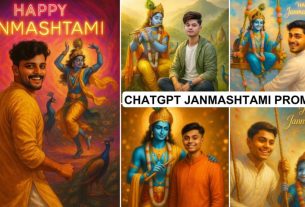
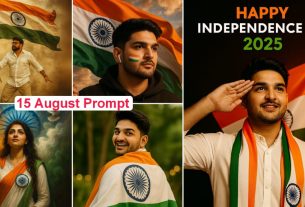
Chat Gpt Cinematic Ai Photo Editing Prompts – Editing photos with chat gpt has become quite easy. If you want to create photos with chat gpt, you can create them very easily these days. If you want to know about it, then in this article I will tell you what will be the easiest way to create such photos which become very viral. It is also very popular in trading, so if you want to do this editing, then I will tell you how you can create five different types of photos. With the help of chat gpt, their styles will be very different. How can these be created, how does the whole process happen? I will tell you about it later. If you read it, then you will get a good knowledge.
Chat Gpt Cinematic Ai Photo Editing Prompts
Now the question of many of you will be this. Will we need a subscription to create this because many people are saying that premium will be required, but for this you will not need any premium. You will just need a little common sense. If you put more effort then you can create a good image and can create unlimited types. If you want to keep creating such images then it is very easy, the process is exactly the same. You will keep doing it by following it, so let me tell you now how you can prepare the image.
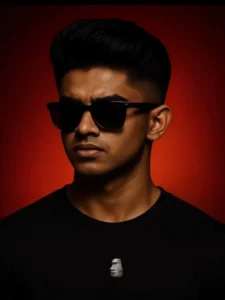
PROMPT – Replace the face with the person from the uploaded photo, matching the lighting, skin tone, and perspective realistically. Keep the image high quality and photorealistic. standing against a bold red gradient background, confidently. The lighting is dramatic and cinematic, emphasizing his facial structure and giving a luxury fashion magazine vibe. Ultra-realistic, high-detail, editorial photography style. 4K resolution, symmetrical composition, minimal background elements. 4:3 ratio.
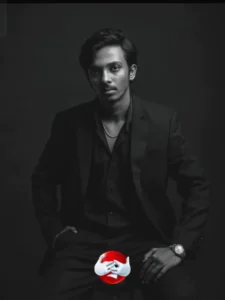
white portrait of a confident looking man. sitting on a wooden stool against a dark studio background. He is wearing a well-fitted, all-black suit with a black shirt, and black pant small silver chain at naki and small silver watch slightly unbuttoned at the top, exuding a moody and powerful aura. His posture is relaxed yet dominant, with one arm resting on his leg and the other one in his pant pocket The lighting is soft but directional creating
Chat Gpt Cinematic Ai Photo Editing Prompts
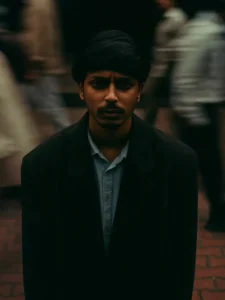
PROMPT – Cinematic overhead shot of me standing still on a brick city sidewalk, wearing a dark oversize sweater. Motion-blured crowd rushes past around me. Moody lightning, 35mm film look, shallow depth of field, sharp focus on me. Ration portrait 4:3
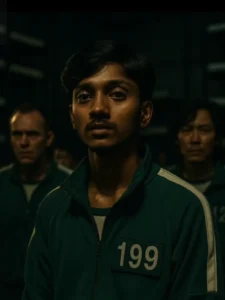
Transform this person into a scene from the Squid Game TV series. Keep the face exactly the same. Add a green tracksuit with a white number tag, dim indoor lighting with a dramatic and ter atmosphere, and background characters in similar outfits. Make it look like a cinematic shot from survival game show, keeping facial expression and identity unchanged!
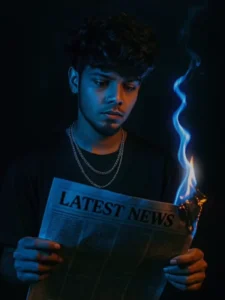
person standing against a black background. The person is holding a newspaper labeled ‘LATEST NEWS’, which is partially on fire at one corner, with blue flames and a faint smoke trail. The fire should be stylized and visually striking. The lighting on the person should be moody and cinematic, primarily from the blue fire, casting blue highlights and shadows across the face and hands. The subject should wear a black shirt and layered silver chains for a bold, modern look. The expression should be serious and contemplative as the person looks down at the burning newspaper. The atmosphere should be intense and mysterious.
How To Use Chat Gpt Cinematic Ai Photo Editing Prompts
You will need a prompt. We have shared those prompts with you in the article. With their help, you can create them in a very easy way. Whatever prompts are given to you, you can simply copy them. A simple button is given to copy, if the button is not active, you can select it and copy it. This is an old method but it works for everyone. What you have to do is to simply select it. After that, copy it. After copying, now open chat gpt. Here you have to upload your image. Whatever image is there, just your face should be visible in it. Now you have to paste it in the prompt. Then after that, you have to generate it, it will take a few minutes. Your image will be ready for you, in this way you can generate different types of images using many prompts.
Conclusion
I have just provided you this prompt. If you guys tell me, we will bring you more such amazing problems with which you will be able to generate even better images. Right now I have provided some here for demo, using which you can generate now, but in future if you want, we can provide more things for you.